Install
先安装好python 3.11,ffmpeg
python --version
Python 3.11.9
安装faster whisper,
pip install faster-whisper
faster whisper 不需要装pytorch, openai/whisper 原版要装
PyTorch 是一个 深度学习框架,主要用来:
- 训练神经网络(模型怎么学)
- 加载/运行很多 AI 模型(尤其是研究圈)
- 管理 GPU 显存、反向传播这些底层活
How to use
写简单的python脚本 ```python from faster_whisper import WhisperModel
第一次会自动下载模型
model = WhisperModel(“base”, device=”cpu”)
segments, info = model.transcribe(“test.mp3”)
print(“语言:”, info.language) print(“概率:”, info.language_probability)
for segment in segments: print(f”[{segment.start:.2f}s -> {segment.end:.2f}s] {segment.text}”)
运行:
python .\whisper_test.py
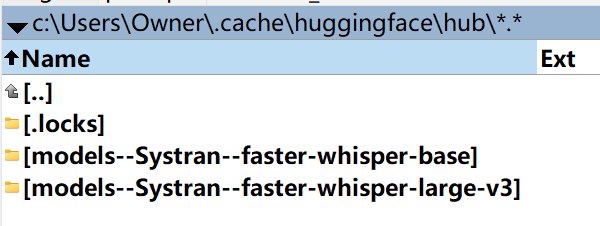
第一次运行会自动下载模型,下载到了
c:\Users\Owner.cache\huggingface\hub\
# whisperx,推荐
uninstall
pip uninstall -y whisperx
pip install whisperx pip show whisperx
whisperx 3.7.4 + torch v2.8

测试老版本:
卸载
pip uninstall -y torch torchaudio torchvision
安装torch v2.5.1 cpu version
pip install torch==2.5.1 torchaudio==2.5.1 torchvision==0.20.1
# aeneas
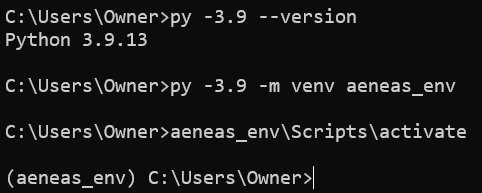
安装python v3.9, 勾选 **Add Python to PATH**
安装后验证:
py -3.9 –version where python
创建虚拟环境
py -3.9 -m venv aeneas_env
激活
aeneas_env\Scripts\activate
升级 pip
python -m pip install –upgrade pip setuptools wheel
安装 numpy
pip install numpy==1.23.5
验证:
python -c “import numpy; print(numpy.version)”
numpy 1.23.5:
- ✔ 对 Python 3.9 稳定
- ✔ 与 Aeneas 兼容最好
- ✔ 避免编译
设置环境变量, 禁用 Aeneas 的 C 扩展,走纯 Python 模式
set AENEAS_WITH_CEW=False set AENEAS_WITH_CDTW=False set AENEAS_WITH_CMfcc=False set AENEAS_WITH_CWAVE=False
启用当前虚拟环境里的 numpy,安装aeneas
pip install aeneas –no-build-isolation
验证aeneas
python -m aeneas.tools.execute_task –help ``` 测试发现: aeneas 的核心假设是「朗读语音」aeneas 的算法模型假设:
- 语速稳定
- 句子清晰
- 停顿 ≈ 标点
- 没有拉长音、转音、节拍 测试失败。