Introduction
There are two approaches to customize nopCommerce to fit our needs. Plugin can be used to extend the functionality of nopCommerce. Theme can be used to define the look and feel of pages and controls.
nopCommerce has some built-in plugins. For example, payment methods (such as PayPal), tax providers, shipping method computation methods (such as UPS, USP, FedEx), widgets. There are many different plugins including free anc commercial ones in nopCommerce website. We can search plugins which suit our needs.
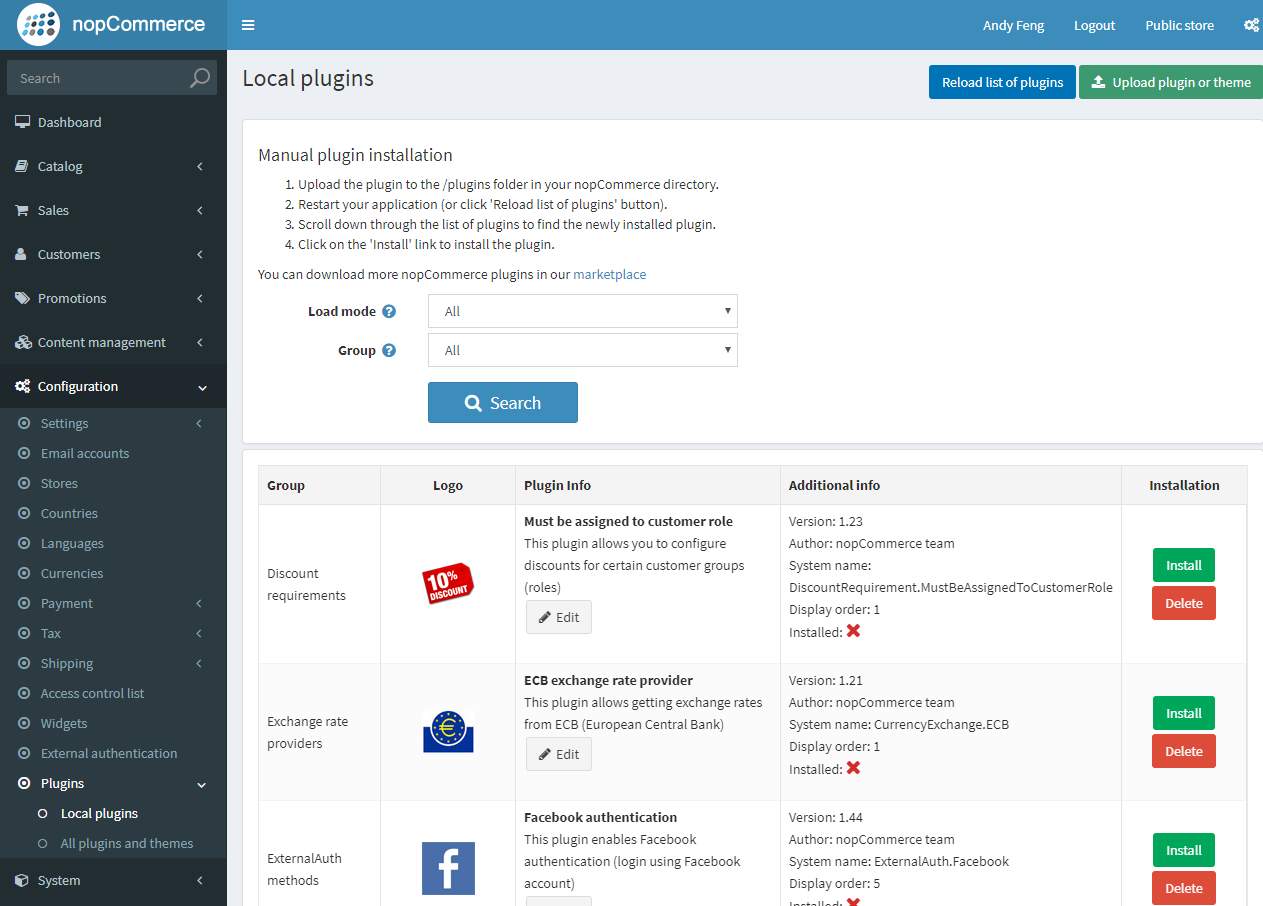
Basically, we create a class implements Nop.Core.Plugins.IPlugin interface to build our own plugin. nopCommerce also provides a BasePlugin class which already implements some IPlugin methods and simplify our development work.
Create a simple plugin
Here are major steps how to create our own plugin and add it to nopCommerce.
Create a new project > .net classic library.
老图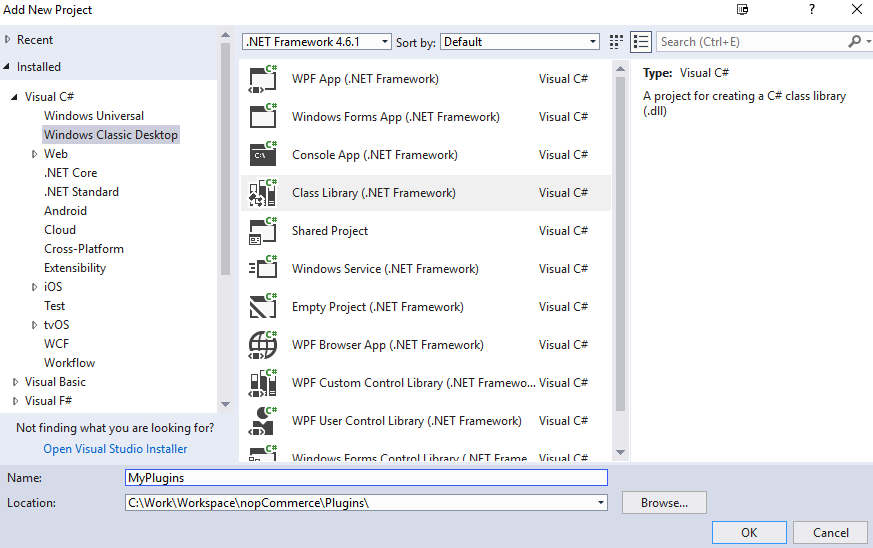
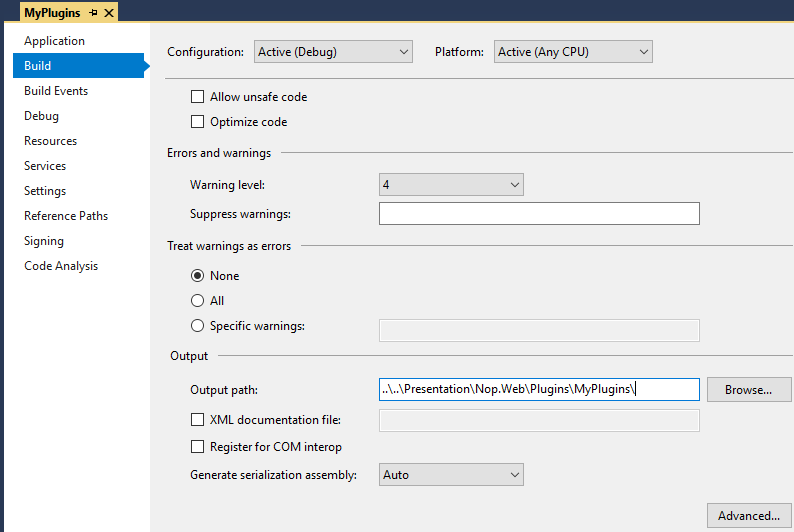
 specify output dir to ....\Presentation\Nop.Web\Plugins\MyPlugins
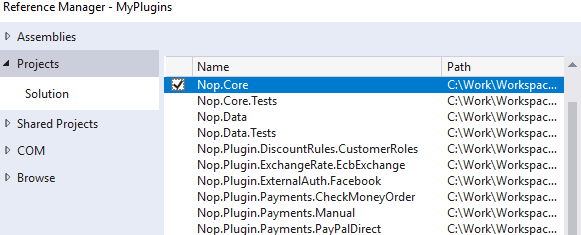
Add reference
nop.core
nop.services
nop.web.framework
让插件能访问 nop 的核心服务
Add a plugin.json file 每个插件必须有这个文件,用于向系统声明身份。
{
  "Group": "App",
  "FriendlyName": "Product Poster Generator",
  "SystemName": "App.ProductPoster",
  "Version": "1.00",
  "SupportedVersions": [ "4.90" ],
  "Author": "Andy's team",
  "DisplayOrder": 1,
  "FileName": "Nop.Plugin.App.ProductPoster.dll",
  "Description": "This plugin just for generating pictures"
}
注意命名规范:
- SystemName 必须唯一,和文件夹名称建议一致。
- SystemName = group name + project name
-
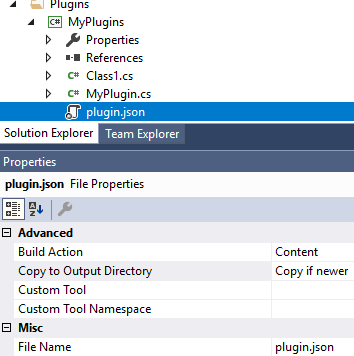
FileName = dll name make sure plugin.json always copy to compiled output directory:
right click plugin.json > properties > copy to output directory > always newer
or
open MyPlugins.csproj, specify we want to copy plugin.json to output directory
change
  ```
    <ItemGroup>
      <None Include="plugin.json" />
    </ItemGroup>
  ```
to
  ```
  <ItemGroup>
    <Content Include="plugin.json">
      <CopyToOutputDirectory>PreserveNewest</CopyToOutputDirectory>
    </Content>
  </ItemGroup>
  ```
Here is the explanation (https://msdn.microsoft.com/library/0c6xyb66(v=vs.100).aspx):
None - the file is not included in the project output group and is not compiled in the build process. An example is a text file that contains documentation, such as a Readme file.
Content - The file is not compiled, but is included in the Content output group. For example, this setting is the default value for an .htm or other kind of Web file.
Compile - The file is compiled into the build output. This setting is used for code files.
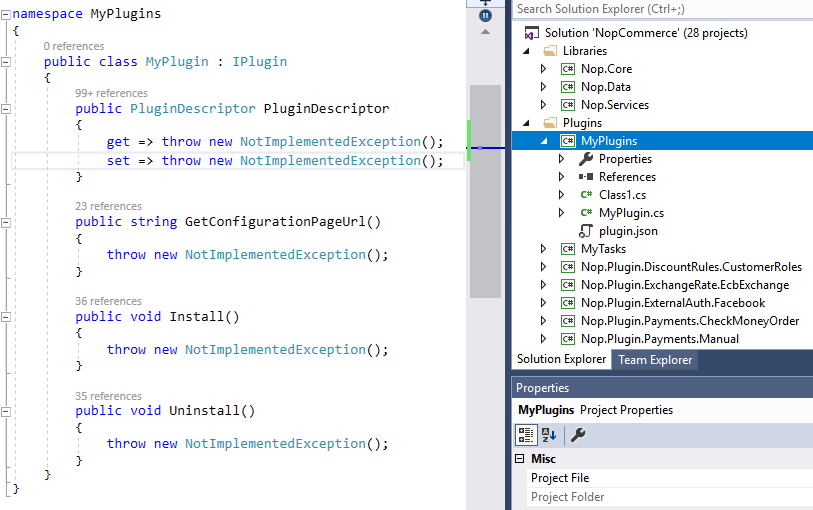
Create a plugin class, implements IPlugin interface
或创建一个类继承自 BasePlugin,这是插件的入口,负责安装和卸载逻辑。
public class MyPlugin : BasePlugin, IPaymentMethod
{
    // 实现 IPaymentMethod 接口的方法...
    public override async Task InstallAsync()
    {
        // 逻辑:如创建数据库表、添加设置
        await base.InstallAsync();
    }
}
修改项目文件 (.csproj)
修改你的 .csproj 文件,引用 nopCommerce 的核心程序集。
<Project Sdk="Microsoft.NET.Sdk">

  <PropertyGroup>
    <TargetFramework>net9.0</TargetFramework>
    <Copyright>Copyright © Nop Solutions, Ltd</Copyright>
    <Company>Nop Solutions, Ltd</Company>
    <Authors>Nop Solutions, Ltd</Authors>
    <PackageLicenseUrl></PackageLicenseUrl>
    <PackageProjectUrl>https://www.nopcommerce.com/cash-on-delivery-payment-module</PackageProjectUrl>
    <RepositoryUrl>https://github.com/nopSolutions/cashondelivery-plugin-for-nopcommerce</RepositoryUrl>
    <RepositoryType>Git</RepositoryType>
    <OutputPath>$(SolutionDir)\Presentation\Nop.Web\Plugins\Payments.CashOnDelivery</OutputPath>
    <OutDir>$(OutputPath)</OutDir>
    <!--Set this parameter to true to get the dlls copied from the NuGet cache to the output of your project.
    You need to set this parameter to true if your plugin has a nuget package
    to ensure that the dlls copied from the NuGet cache to the output of your project-->
    <CopyLocalLockFileAssemblies>false</CopyLocalLockFileAssemblies>
    <ImplicitUsings>enable</ImplicitUsings>
  </PropertyGroup>

  <ItemGroup>
    <None Remove="logo.png" />
    <None Remove="plugin.json" />
    <None Remove="Views\Configure.cshtml" />
    <None Remove="Views\PaymentInfo.cshtml" />
    <None Remove="Views\_ViewImports.cshtml" />
  </ItemGroup>

  <ItemGroup>
    <Content Include="logo.png">
      <CopyToOutputDirectory>PreserveNewest</CopyToOutputDirectory>
    </Content>
    <Content Include="plugin.json">
      <CopyToOutputDirectory>PreserveNewest</CopyToOutputDirectory>
    </Content>
    <Content Include="Views\Configure.cshtml">
      <CopyToOutputDirectory>PreserveNewest</CopyToOutputDirectory>
    </Content>
    <Content Include="Views\PaymentInfo.cshtml">
      <CopyToOutputDirectory>PreserveNewest</CopyToOutputDirectory>
    </Content>
    <Content Include="Views\_ViewImports.cshtml">
      <CopyToOutputDirectory>PreserveNewest</CopyToOutputDirectory>
    </Content>
  </ItemGroup>

  <ItemGroup>
    <ProjectReference Include="$(SolutionDir)\Presentation\Nop.Web.Framework\Nop.Web.Framework.csproj" />
    <ClearPluginAssemblies Include="$(SolutionDir)\Build\ClearPluginAssemblies.proj" />
  </ItemGroup>

  <!-- This target execute after "Build" target -->
  <Target Name="NopTarget" AfterTargets="Build">
    <!-- Delete unnecessary libraries from plugins path -->
    <MSBuild Projects="@(ClearPluginAssemblies)" Properties="PluginPath=$(OutDir)" Targets="NopClear" />
  </Target>

</Project>
注意: 如果CopyLocalLockFileAssemblies 为 false,防止重复引入 DLL 导致冲突。
-
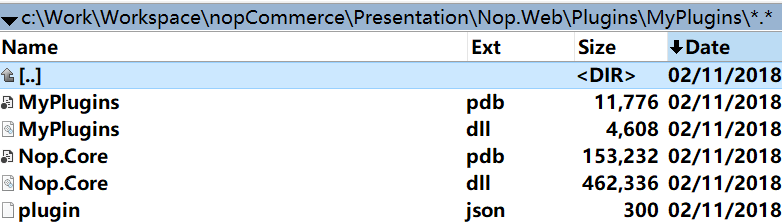
Build the new plugin project, we will find the output dlls at: project-dir\Presentation\Nop.Web\Plugins\
-
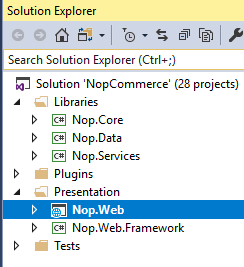
Rebuild and start the web project
-
login as admin > administration > configuration > plugins > local plugins, we will find the new plugin

功能开发方向
根据你的插件用途,需要实现不同的接口: - 支付插件:实现
IPaymentMethod。
- 配送插件:实现IShippingRateComputationMethod。
- 小部件(UI):实现IWidgetPlugin。
- 后台管理:实现IAdminWidgetPlugin或通过INodeStrategy添加菜单。 Also, nopCommerce provides some specific plugin interfaces derived from IPlugin. We can move on implementing them to build more plugins with customized appearance and advanced logic.
- External authentication methods - IExternalAuthenticationMethod interface
- Widgets - IWidgetPlugin interface
- Rxchange rate providers - IExchangeRateProvider interface
- Fiscount rules - IDiscountRequirementRule interface
- Payment methods - IPaymentMethod interface
- Shipping method computation methods - IShippingRateComputationMethod interface
- Tax providers - ITaxProvider interface
- Other plugins - IMiscPlugin interface
References
http://docs.nopcommerce.com/pages/viewpage.action?pageId=1442493